SMART SWITCHES
Rust+ smart switches: one chat command and the AA is off
Pair your in-game smart switches with the app, and teammates can type "!sm AA" in chat to turn one off remotely. It turns back on automatically when the timer ends. No phones, no pairing for everyone.
Sound familiar?
Shot by your own turrets
Someone forgot to cut turret power, and a teammate gets sprayed at the door.
Only one person can toggle it
In the Rust+ phone app only the person who paired it can switch it, and they might be offline.
Turned off and forgotten
You turned the AA off to leave, and only noticed it stayed off all night.
How can the whole team use Rust+ smart switches?
Smart switches are normally controlled only from the Rust+ phone app, and only by the person who paired them. Here are three ways to handle it.
Three ways
Pairing and setup
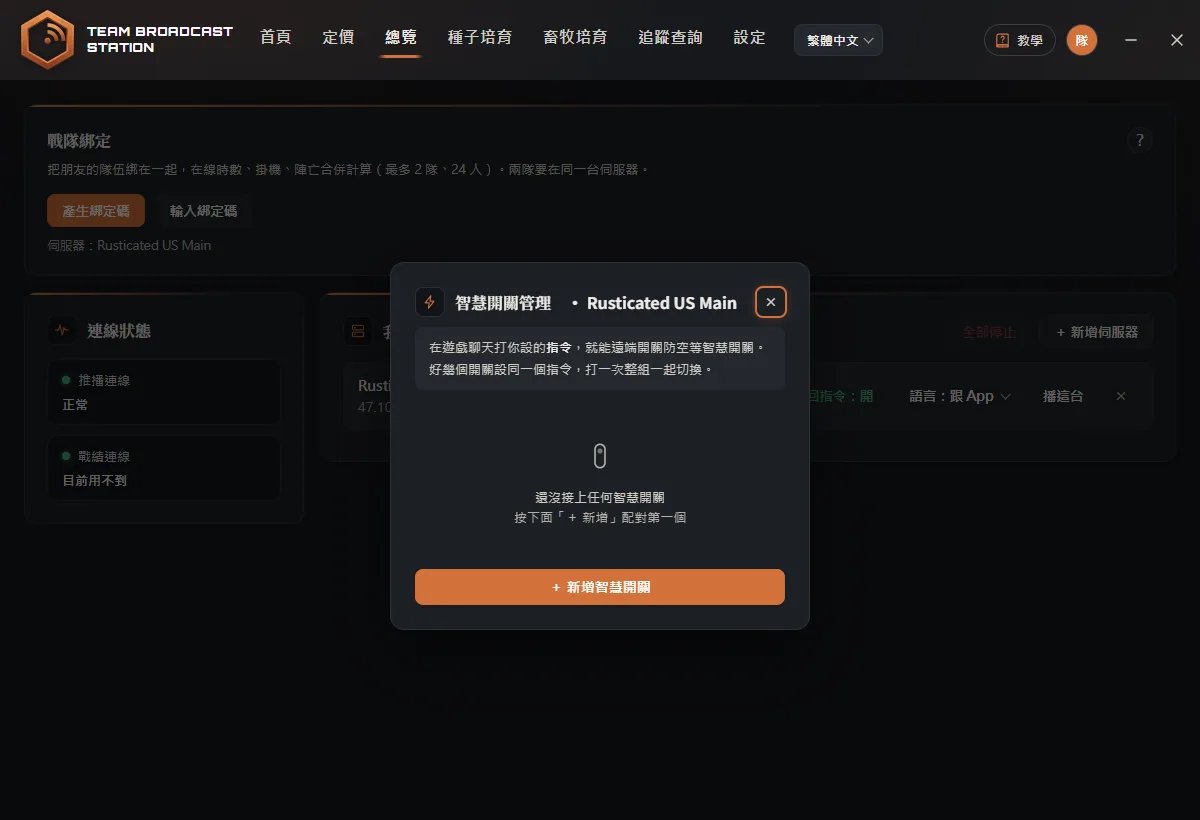
- Open Smart switches and pick a nameOn your server's row, click Smart switches, then "+ Add smart switch". Type a name such as "AA" and click Start pairing.
- Pair the switch in gameLook at the smart switch, hold E, and choose Pair. When the app asks if this is the right switch, click Yes.
- Type the command in chatA teammate types "!sm AA" and the switch turns off. Chat says who turned it off and when it comes back on; type it again to restore early.
Tip: Typing just !sm lists the names of every switch you have set up.
Auto-restore and custom commands
Each switch can have an auto-restore time (10 seconds minimum), so it turns back on by itself. You can also set a custom command such as !sp. Give several switches the same command to toggle the whole group at once, and limit a custom command to team or clan chat.
FAQ
Who can use !sm?
Any teammate who can type in that channel. There is no separate list to manage.
!sm says it can't find the switch?
The name is misspelled or the switch isn't paired yet. Type just !sm to see the names you have set up.
Is this a cheat?
No. Switches are toggled through Facepunch's official Rust+ service, the same way the Rust+ phone app does it.